REALM RESOURCES
Create Your REALM Match
REALM RESOURCES
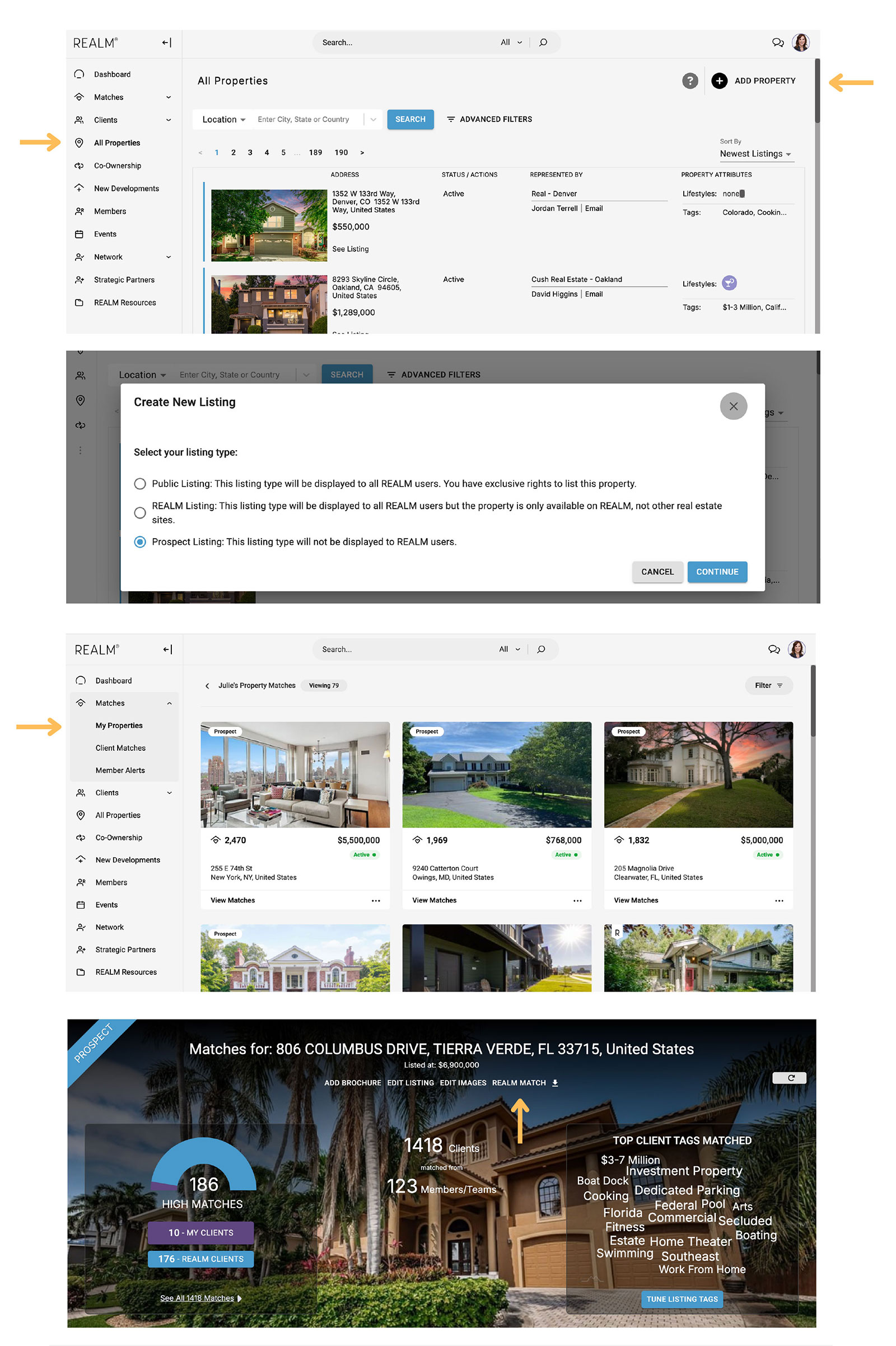
On the left side navigation bar, click into the “All Properties” page and click “Add Property” on the top right of the screen. Choose “Prospect Listing” from the listing type menu. Enter your listing details and click “Save” at the bottom right of the menu.
On the left side navigation bar, click into the “My Properties” page under the “Matches” section. Click into your Prospect Listing.
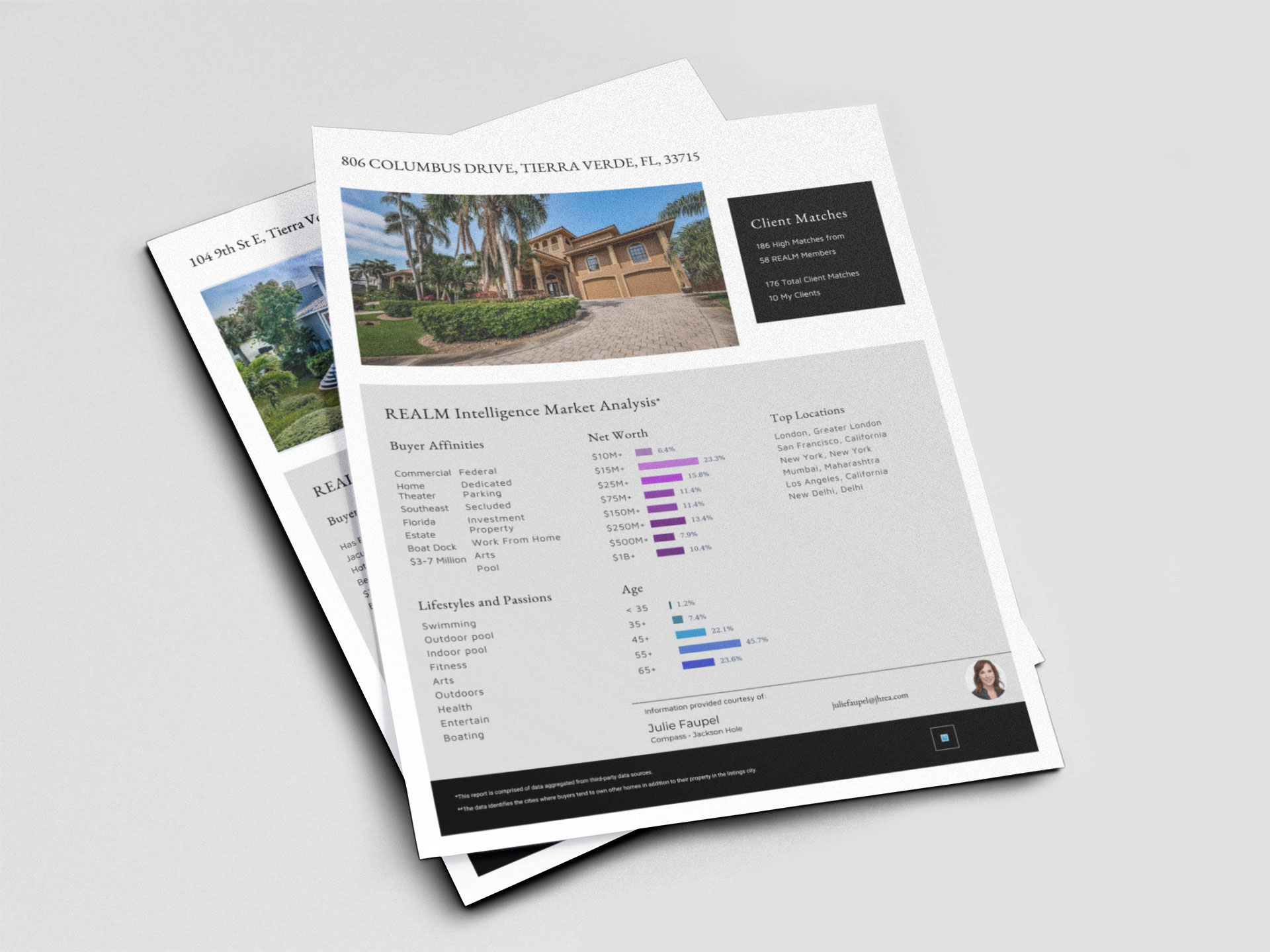
Click into the “REALM Match” button under the listing address at the top of the page. Click “Download” at the bottom right of the menu.
CARRIE HIMEL